



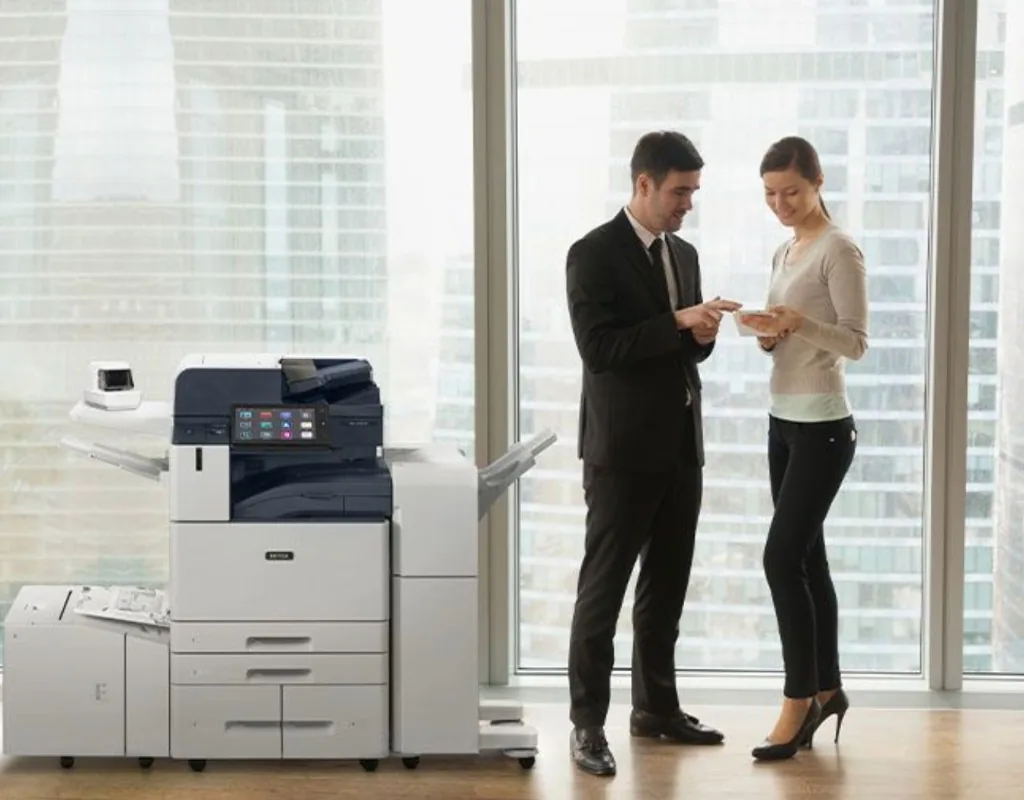
Xerox sells its office and print room machines in families, and A1 carries four of them: the compact C2432 and XC2432, VersaLink, AltaLink, and PrimeLink. They climb from a compact colour printer at 32 pages a minute to a black-and-white production press at 136. Pick the family by how much you print each month, the biggest sheet you need, and what has to happen to the pages after they print.
Small team, letter-size work: C2432 or XC2432
The Xerox C2432 is a compact colour printer that prints up to 32 pages a minute. The XC2432 is its multifunction cousin, printing up to 30 pages a minute and adding copy, scan, and fax, with single-pass duplex scanning at up to 92 images a minute and a tilting 4.3 inch touchscreen. Both list a recommended monthly volume of 5,000 pages, so they suit a small office with a modest, steady print load.
Workgroups that need 11 x 17: VersaLink
The VersaLink C7100 series is colour and A3, which means it takes paper up to 11 x 17 inches. The C7120, C7125, and C7130 print 20, 25, and 30 pages a minute, with recommended monthly volumes of 5,500, 6,300, and 7,000 pages. The black-and-white B7125, B7130, and B7135 print 25, 30, and 35 pages a minute, with recommended volumes of 13,000 to 17,000 pages. VersaLink is built for small to mid-size workgroups in a compact footprint, and an integrated office finisher can add stapling, hole punching, and booklets when it's configured that way.
Busy offices: AltaLink
AltaLink is the step up for a busy office. The colour AltaLink models run from 30 to 70 pages a minute, and the black-and-white models from 45 to 72. Every model takes 11 x 17 paper, handles print, copy, scan, email, and fax, and connects over wired, Wi-Fi, Wi-Fi Direct, Bluetooth, NFC, and cloud workflows. AltaLink offers a variety of accessories and finishing options, so it can be set up for anything from simple to demanding document work.
Read the volume numbers carefully
The VersaLink pages give a recommended monthly print volume. The AltaLink pages give a maximum monthly duty cycle, from 90,000 images on the 30 page a minute colour model to 300,000 on the fastest models. A maximum duty cycle is the most the machine is built to handle in a month, not a level to run it at every month, so the two numbers aren't a like-for-like comparison. Bring your real monthly page count and we'll match it to the right model.
Print rooms and production work: PrimeLink
PrimeLink is Xerox's production family, and it takes A3+ paper, larger than 11 x 17. The colour C9265, C9275, and C9281 print 65, 75, and 81 pages a minute, take media up to 13 x 19 inches and long sheets up to 51 inches, and list a recommended average of 75,000 pages a month. They offer booklet making, cutting, folding, stapling, and hole punching, plus optional Fiery print servers for finer colour control. The black-and-white B9100, B9110, B9125, and B9136 print 100 to 136 pages a minute, handle banner sheets up to 13 x 26 inches, and list recommended averages of up to 700,000 pages a month.
What stays the same across the lines
Xerox lists built-in security features for the VersaLink, AltaLink, and PrimeLink models A1 carries, designed to help protect device access and print data, and VersaLink, AltaLink, and the black-and-white PrimeLink models run Xerox's ConnectKey technology for apps. So you aren't giving up the basics by picking a smaller line. You're choosing speed, volume, paper size, and finishing.
Talk to Automation One
Tell us roughly how many pages you print a month, how much of it is colour, the biggest paper size you use, and whether you staple, punch, or make booklets. We'll match you to a Xerox model, or tell you honestly if a Canon or Lexmark fits the work better, and handle delivery, networking, training, toner, and support after install. We usually reply within one business day.
Contact Automation One, call 604-255-6622, or call toll-free 1-888-630-5880.