



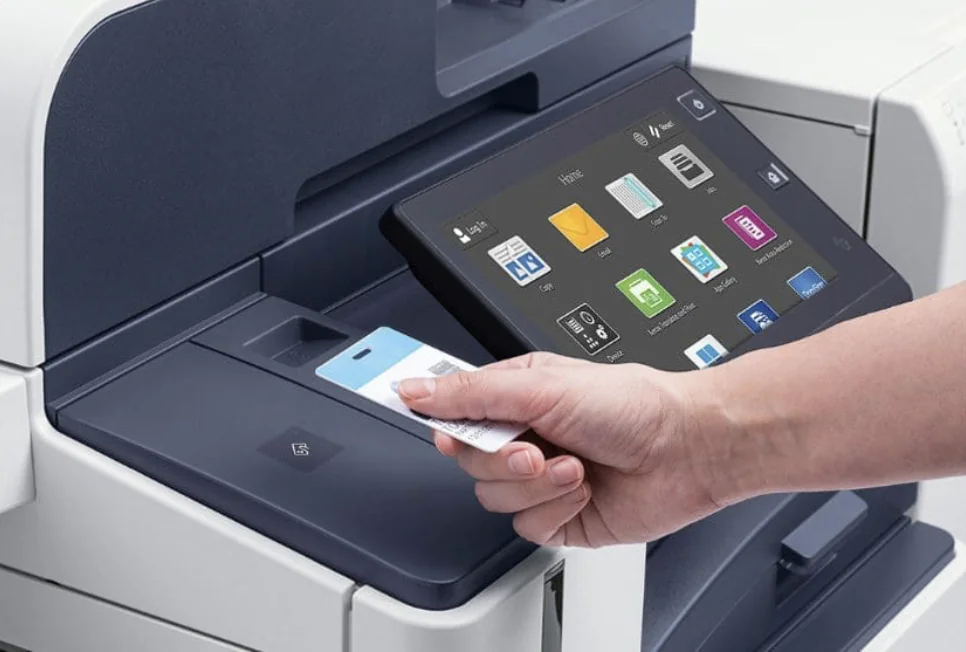
When a copier lease ends, two things need a plan: the machine, and the documents it has stored. Many office multifunction printers keep data on a built-in drive. Sort out both before the term runs out, not on pickup day.
Read the end of your agreement first
A lease is a contract for a set term. What happens at the end, and whether you can upgrade or settle the rest of the term early, depends on the leasing company and the wording of your agreement. Find the end-of-term section, note the date, and check who the machine goes back to.
If the wording is hard to follow, send us your current agreement and we will walk you through the options before you decide.
Decide what replaces it
Most Vancouver offices lease, because it keeps cash free for the business and makes it easier to move to a newer machine later. Buying outright makes sense when the need is stable and long term. Pull a few months of meter reads so the next machine is sized for the work you do today. We covered what to check in our renewal guide.
Remember the machine holds data
The Office of the Privacy Commissioner of Canada lists copier and printer hard drives among the electronic media that store personal information. Many multifunction printers in our catalogue, including Canon imageFORCE models, list a built-in SSD or hard drive in their specs.
The Commissioner’s retention and disposal guidance says personal information that is no longer needed should be destroyed, erased, or made anonymous, and that an organization cannot simply throw it away.
Choose how the drive gets cleared
The same guidance describes three ways to do it: destroy the media, overwrite it using methods that resist simple recovery, or degauss magnetic media. If the media is leaving your control and may be reused by others, it says to choose a stronger method. If it will not be reused at all, destruction is the best option.
Some machines have tools for this built in. The Xerox C2432, for example, lists a non-volatile memory wipe among its security features. Ask which tools your model has before the end date.
Name one person and agree it in writing
The Commissioner suggests one designated person in the office who arranges data destruction. If an outside company handles the wipe or the pickup, your organization stays responsible for the information. Agree the method in writing before the machine leaves.
Book the pickup and the new install together
For work outside a contract, like moves, training, or end-of-life pickup, we confirm scope and rates with you before we dispatch. The same team that picks up can install, network, and train on the replacement, so the office is not left without a machine.
Talk to Automation One
Send us your lease end date, your current agreement, and a month of meter reads. We will lay out the options and the full cost up front. We typically reply within one business day.
Contact Automation One, call 604-255-6622, or call toll-free 1-888-630-5880.